md² documentation
Board view
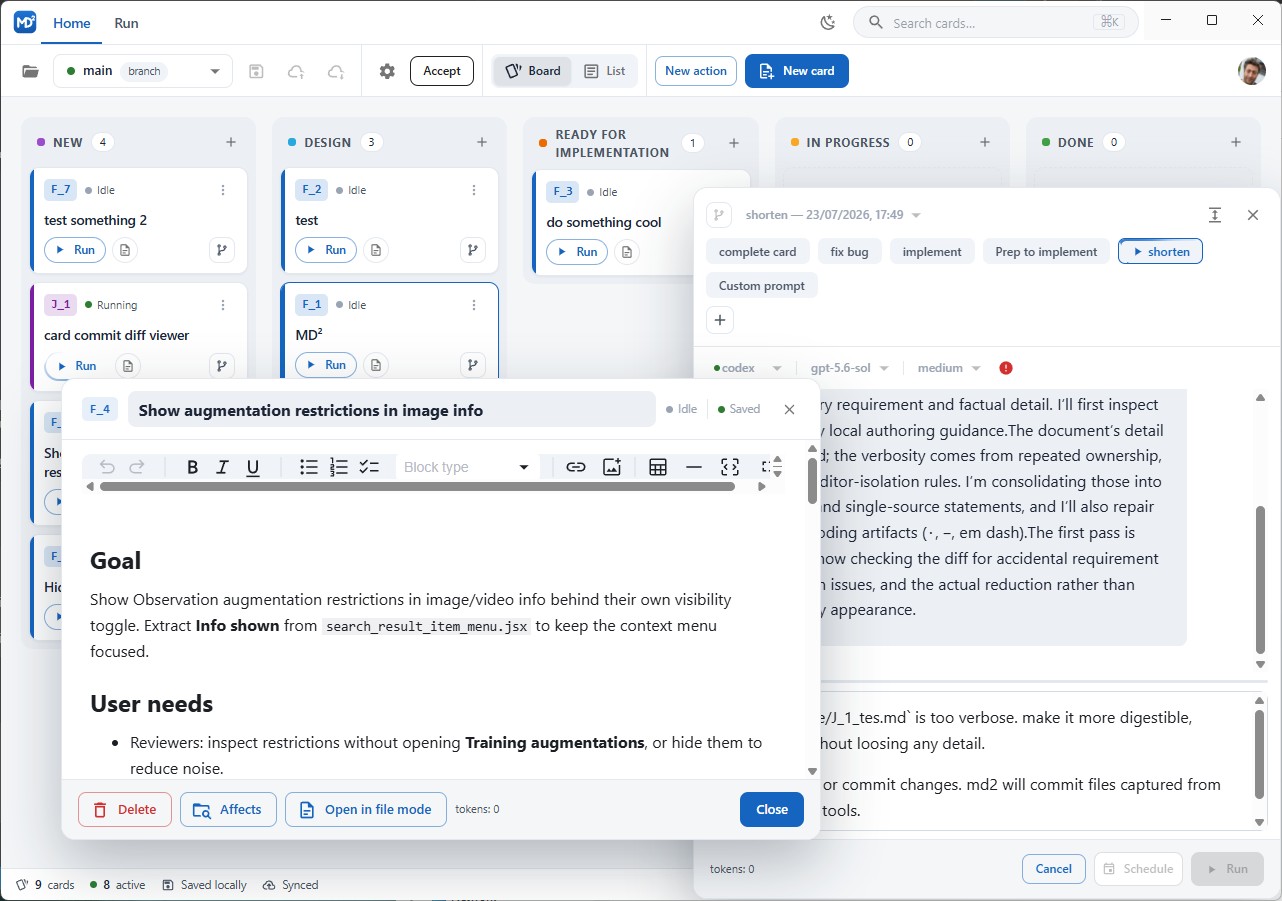
Switch between Board, List, and Stats with the toggle in the application menu. Stats replaces the workspace with project activity, performance, usage, and cost charts; see Stats.
Columns
One column per configured state, in configuration order, each with its card count and a + button that creates a card straight into that column. Columns marked alwaysVisible are shown even when empty; the others appear when they hold cards.
Configure columns in the config dialog, section Project, key project.states — the state name, its color, and whether it is always visible.
The card
Each card shows:
- the card id chip and the type color bar down its left edge;
- the title, editable inline;
- the run status (
Idle,Running) and a Run button for the card’s default action; - an icon for the card’s conversation and run history;
- the worktree indicator, when a worktree is assigned;
- an overflow menu with actions, policy toggles, worktree assignment, and delete.
Policies are the named booleans in the card’s policy header field. Toggle them from the card menu; they are written straight back to the file.
Moving cards
Drag a card to another column to change its status, or within a column to reorder it. Order is stored in the after field of the affected cards, so a move rewrites two or three files, not the whole column.
Dropping a card into a state that some action declares as its onState starts that action. That is the mechanism behind “drag to in progress and the agent starts working”.
Opening a card
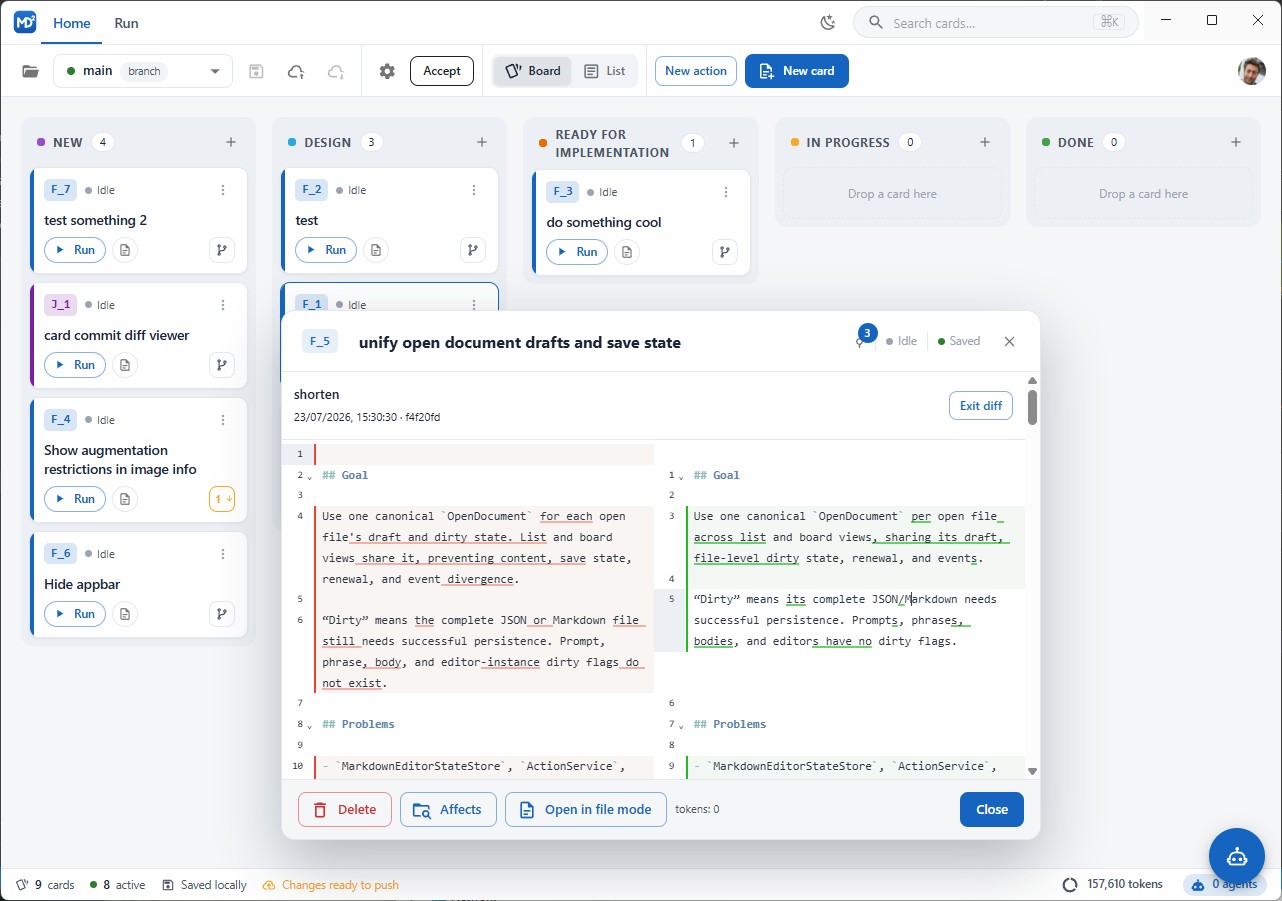
Click a card to open the card popup: the Markdown editor with its formatting toolbar, plus Delete, Affects, Open in file mode, token usage, and save status. Open in file mode switches to list view with the card open in a tab.
When commits were recorded for the card, a commit icon appears in the popup. Pick a commit to see its diff in place.
Mobile
On a phone the board scrolls horizontally through the columns, the menu collapses behind the hamburger button, and cards open in a full-screen dialog instead of a popup.
Status bar
Along the bottom: card counts, save state (Saved locally), sync state (Synced or Changes ready to push), accumulated token usage, and the number of running agents.
See also: Cards and files, Text view, Stats, Running actions.