md² documentation
Running actions
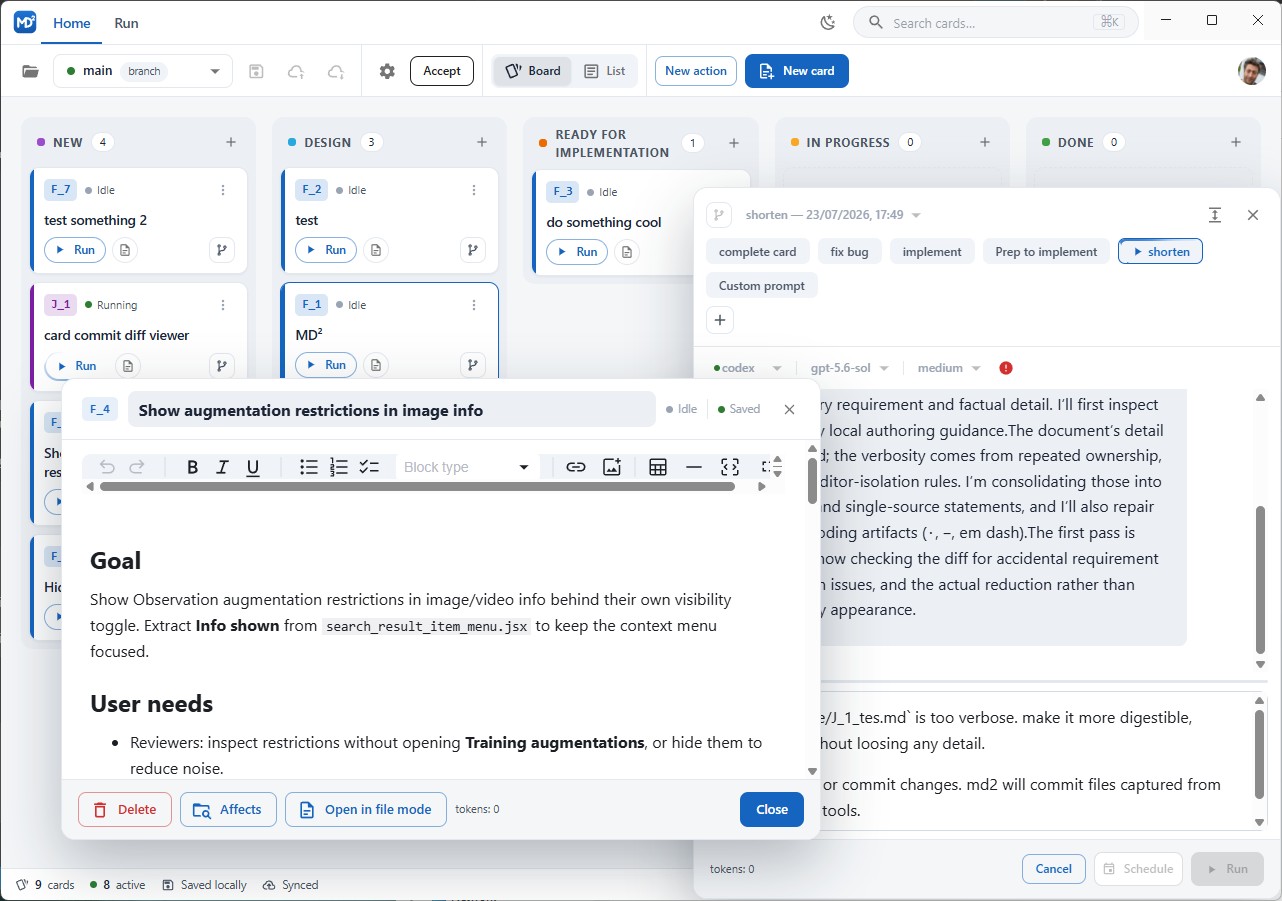
Entry points
Actions show up next to the thing they act on, filtered by their appliesTo:
- Run button and the overflow menu on a card;
- the card popup toolbar;
- the file tree context menu, for files and folders;
- the editor toolbar in list view;
- the Run tab of the application menu, for project-level actions.
Activating any of them opens the action popup for that action and context.
The action popup
The popup is resizable and shows the action label, its description, run controls, live status, the log for the current phase, and previous runs. Linked onBefore and onAfter actions appear as chips — click one to open it with the same context.
For agent actions you also get:
- a prompt box for run-specific input (
{{card-prompt}}); - agent, model, and reasoning-level selectors, prefilled from the definition and the defaults. Changing them affects this run only, never the definition;
- phrase buttons, if the action defines
phrases; - Convert to action, which turns a custom prompt you just wrote into a reusable action definition.
Buttons: Run starts the chain. Cancel stops the running process and the rest of the chain. Schedule runs it later (see below).
While an action runs for a card, that card’s entry points are disabled — one action at a time per card. This state is in memory only, so nothing is left disabled after a restart.
Conversations
In list view, the conversation panel attaches to the active file or card, opened from the editor toolbar. It shows the same run history as the popup, streams the agent’s output, reasoning, tool activity, and commits, and lets you send the next turn.
- One-shot actions: input is disabled while a turn runs; submitting again starts another process in the same conversation.
- Streaming actions: input stays open. The action pauses at waiting for input after each turn until you press Finish (completes the action and continues the chain) or Cancel.
Command actions show status and log output, without chat controls.
Chains
| Field | When it runs |
|---|---|
onBefore |
Before the action, in order. |
on |
After the action succeeds, for every rule whose regular expression matches the action’s output, in order. |
onAfter |
After the action and all matching on actions succeed, in order. |
Failure rules:
| What failed | Result |
|---|---|
An onBefore action |
Chain stops, main action never starts, run is failed. |
| The main action | Chain stops, run is failed, no on or onAfter. |
An on action |
Chain stops, run is failed, remaining on and onAfter skipped. |
An onAfter action |
Later onAfter actions skipped, run is okButNotAfter. |
The failure stays attached to the phase that produced it, so the log tells you which link broke.
State triggers
An action with onState starts when a card enters that state — for example dragging a card to ready can fire a push action. State-triggered runs use the same runner, logs, and cancellation as manual ones.
Limitation: state changes are detected in the app. A card edited to a new status by an external process or another agent does not trigger the action.
Scheduling
Schedule in the popup picks a date and time. The schedule is stored as JSON in the repository, and the desktop app registers timers for it when the project loads. When it fires, the same runner executes the same chain. Schedule state is tracked separately from execution state, and the desktop app watches the schedule file so external edits are picked up.
When run is not available
Running requires a desktop execution backend. In web-only GitHub mode the run controls are disabled with an explanation; editing definitions still works. A browser connected through remote control does have a backend — the desktop machine’s.
See also: Action definition, Agent setup, Worktrees.