md² documentation
Git and commits
md² writes ordinary files into your repository and commits them with ordinary Git. Nothing is hidden in a database.
Saving
Editing a card does not commit on every keystroke. Changes are batched and written after you stop typing, controlled by react.autoCommitDelayMs (default 30 s, adjustable between 1 s and 120 s in the config dialog, section React app). Pending changes are flushed when the document or project closes.
The status bar shows where you are: unsaved edits, Saved locally, and Changes ready to push or Synced.
Commit, push, pull
The Home tab of the application menu has the Git controls:
| Control | Behaviour |
|---|---|
| Commit | Flushes pending edits into a commit now. Disabled when nothing is pending. |
| Push | Pushes local commits. Disabled when there is nothing to push. |
| Pull | Fast-forwards from the upstream. Disabled while you have unsaved changes, unpushed commits, a dirty tree, or no upstream. |
| Branch | Switches branch; the project reloads on the new branch. |
project.pushMode decides whether commits are pushed automatically (auto) or wait for you to press Push (manual).
Commits on a card
Commits produced while actions ran on a card are recorded with that card. Open the card popup and use the commit icon to pick one; its diff is shown in the popup.
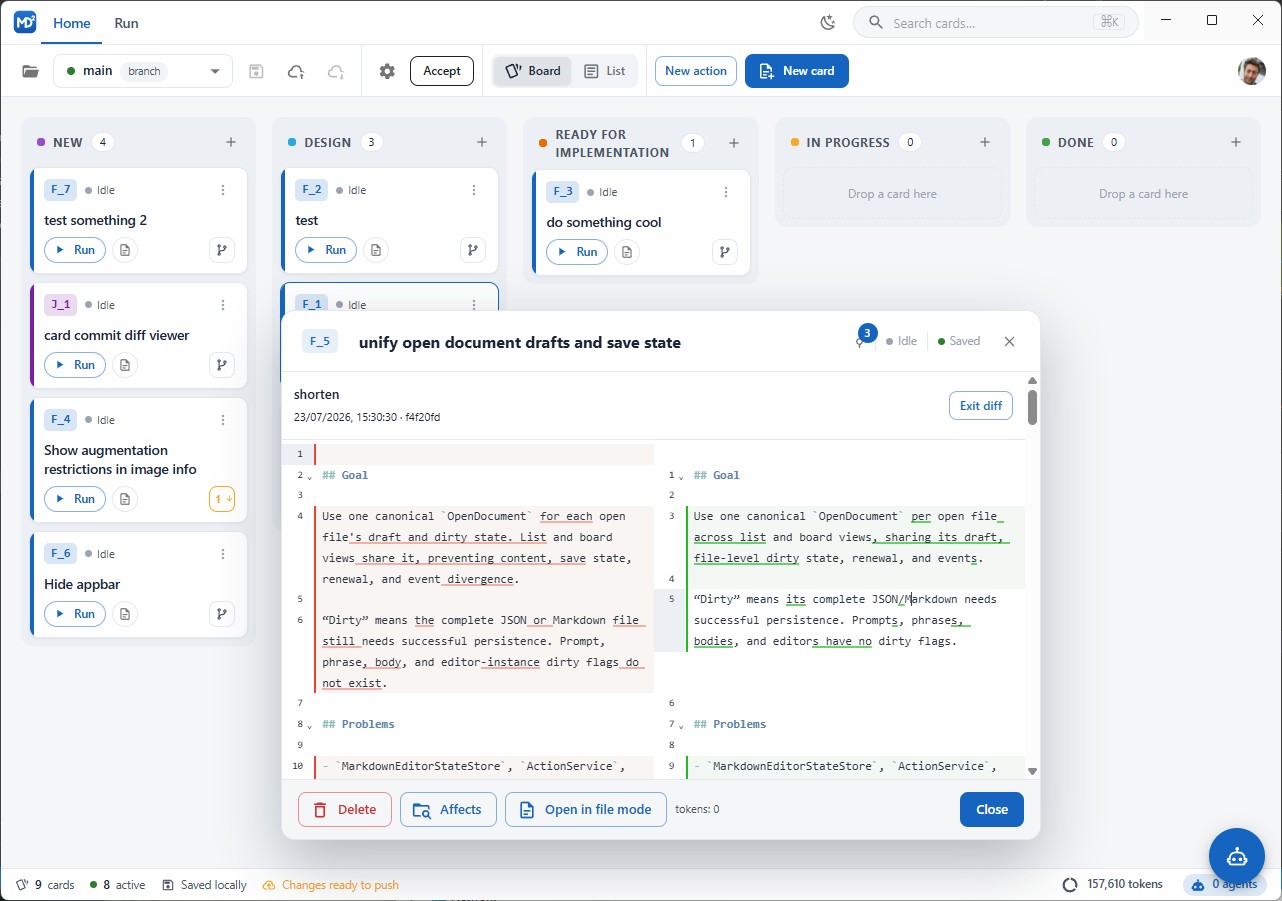
The diff itself comes from a configurable command, project.diffCommand, default git show {{commit}}. Available placeholders: {{worktree-folder}}, {{repository-folder}}, {{project-folder}}, {{releases-folder}}, {{commit}}, {{branch}}, {{file}}.
GitHub mode
Without a desktop app, commits go through the GitHub API instead of local Git. Two consequences:
- writes need a valid token with repository access — an expired token surfaces as an authentication error you can fix by signing in again;
- if local pending commits conflict with what is on the branch, opening the project offers to discard them.
Line endings
md² preserves the line ending style of the file it is editing, so working across Windows and Linux does not produce whole-file diffs.
See also: Worktrees, Storage modes, Troubleshooting.